 Time Tracker
Billable Hours Tracker
Never leak client hours again. Seamlessly log how much time you spend on client portals, projects, or documents. Turn your records into professional invoices with the built-in generator in one click.
100% Private · 100% Local · 0 Accounts
The privacy-first Chrome extension that tracks your browsing automatically — no cloud, no accounts, no BS. A clean ledger of your hours, kept entirely on your machine.
WORKS ON CHROME · BRAVE · EDGE & ALL CHROMIUM BROWSERS
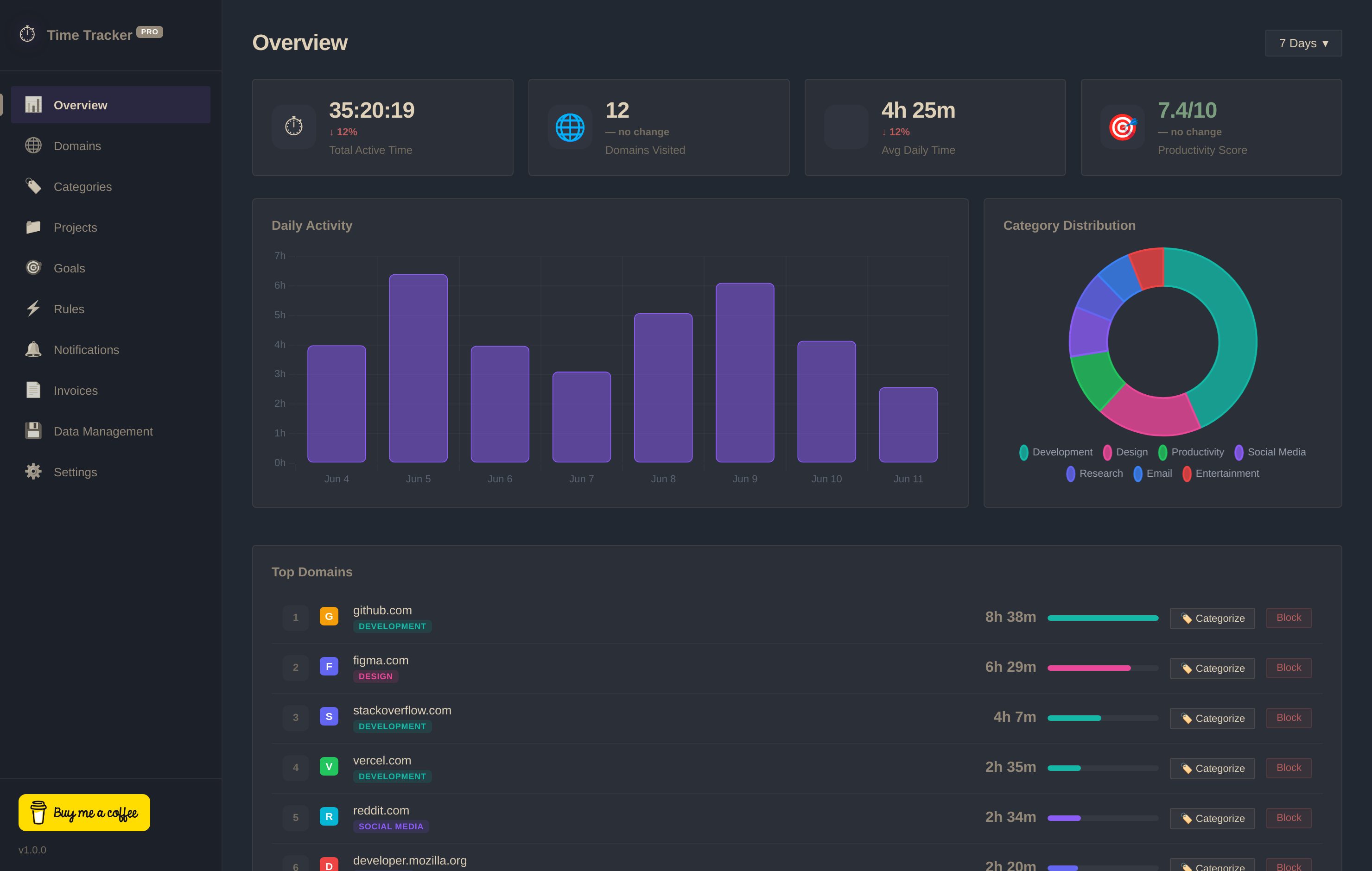
No configuration. No onboarding wizard. Install and forget — your data starts flowing instantly.
One click from the Chrome Web Store. No sign-ups, no email, no permissions popups you don't understand.

Time Tracker Pro runs silently in the background. It detects your active tab, handles idle time, and never slows you down.
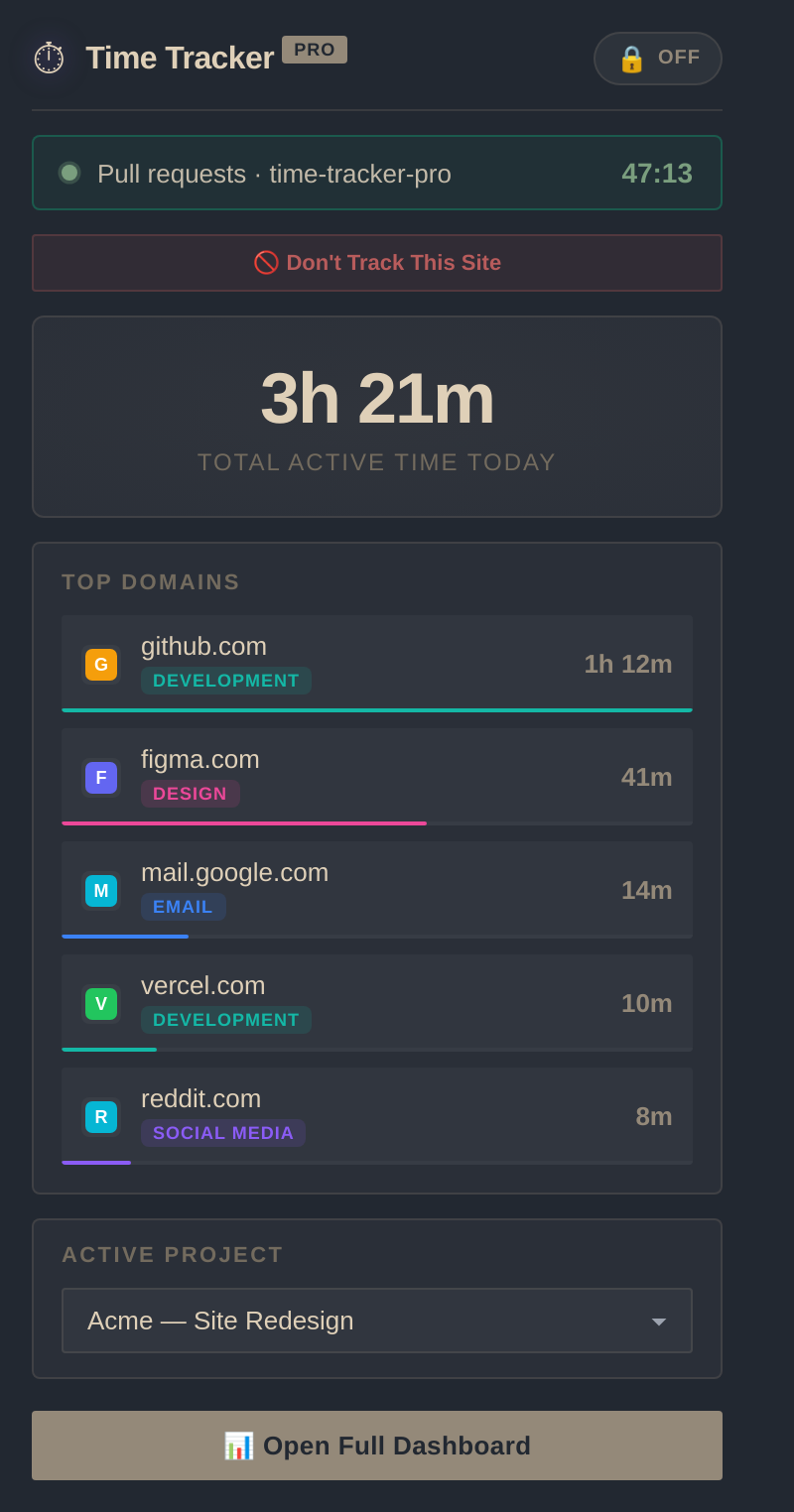
Open the dashboard for powerful analytics — heatmaps, productivity scores, time breakdowns, and trends that actually change your habits.

Whether you need a billable hours tracker, a secure private developer log, or a website blocker to curb distractions, Time Tracker Pro adapts to you.
Never leak client hours again. Seamlessly log how much time you spend on client portals, projects, or documents. Turn your records into professional invoices with the built-in generator in one click.
Keeps 100% of your activity data locally in your browser's IndexedDB. Perfect for company security compliance—no cloud uploads, zero telemetry, and full offline-first functionality.
Gain insights from automatic categorization. Visualize your productivity trends with the peak intensity heatmap, configure website blocking rules, and set daily limits to curb scrolling.
Even the most disciplined freelancers lose about 10% of their billable hours to administrative gaps, untracked tab switching, and manual logging error. See how much money you might be losing.
From automatic time tracking to invoice generation — built for developers, freelancers, and anyone who wants to take control of their screen time.
Every tab, every second. Tracks domain, URL, and page title without you lifting a finger. Idle detection and window focus awareness built in.
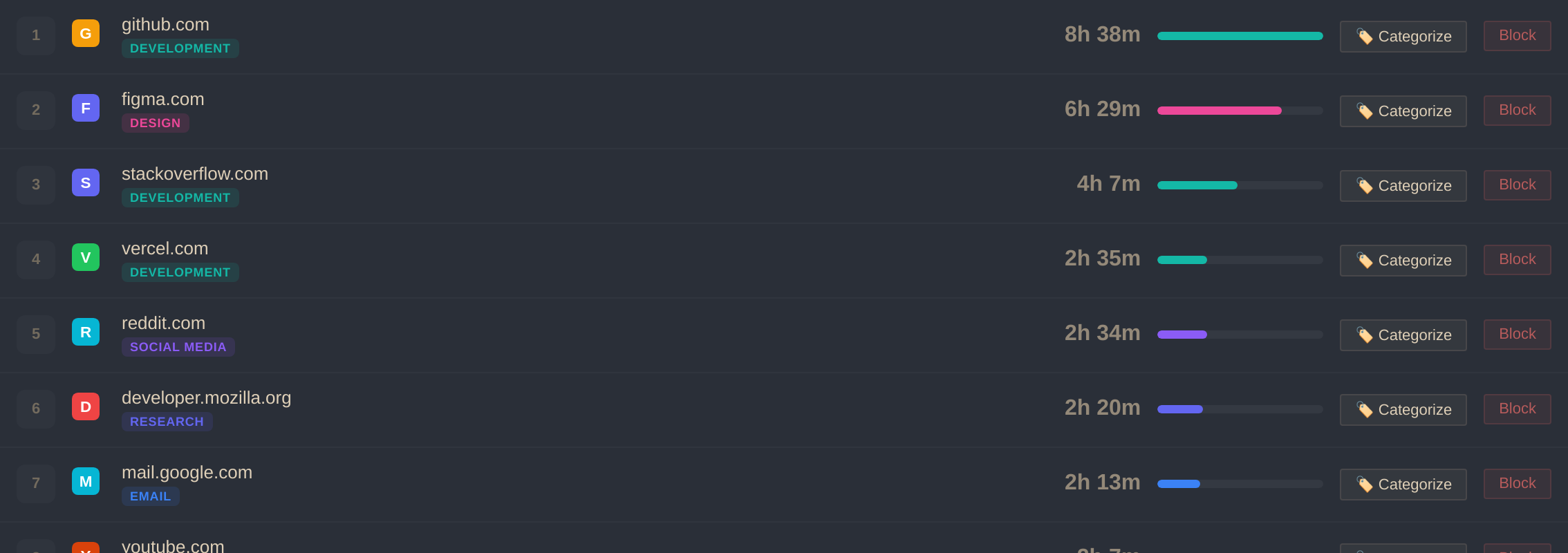
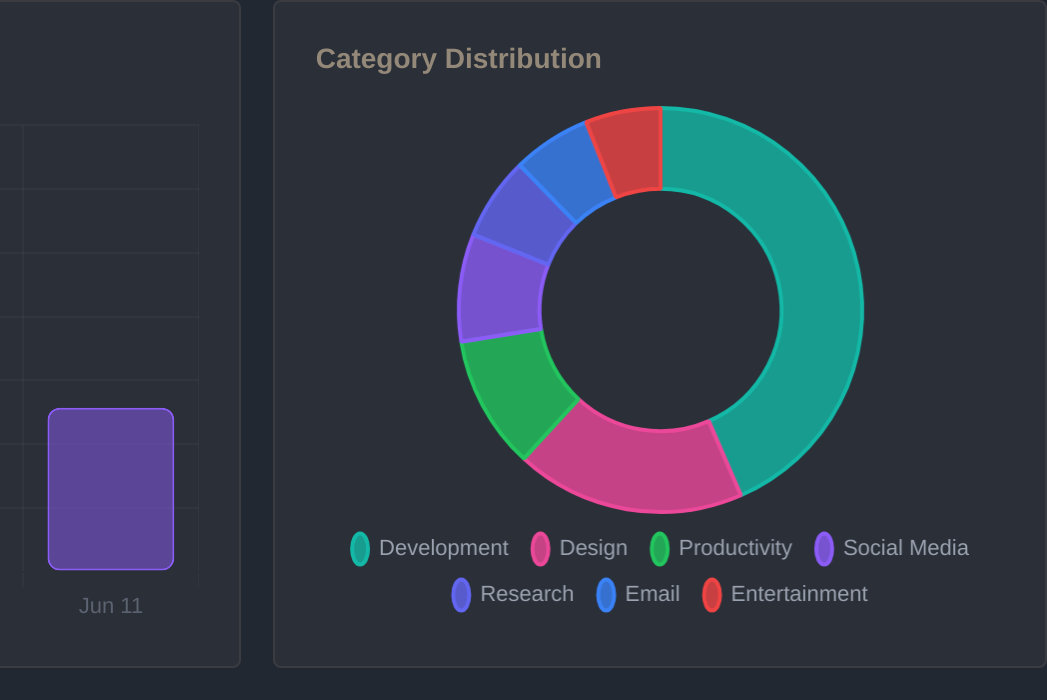
60+ sites auto-categorized out of the box — Social Media, Development, Design, and more. Add your own with custom colors and productivity scores.
Full-year contribution grid — see your browsing intensity for every day of the year at a glance. Spot patterns you never knew existed.
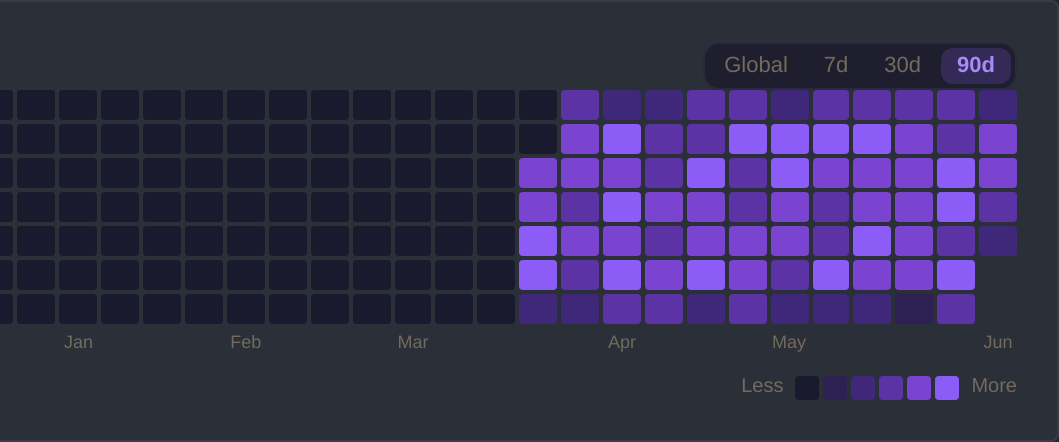
Block distracting sites manually or let auto-block rules kick in when you exceed daily limits. Schedule-aware and category-level rules supported.

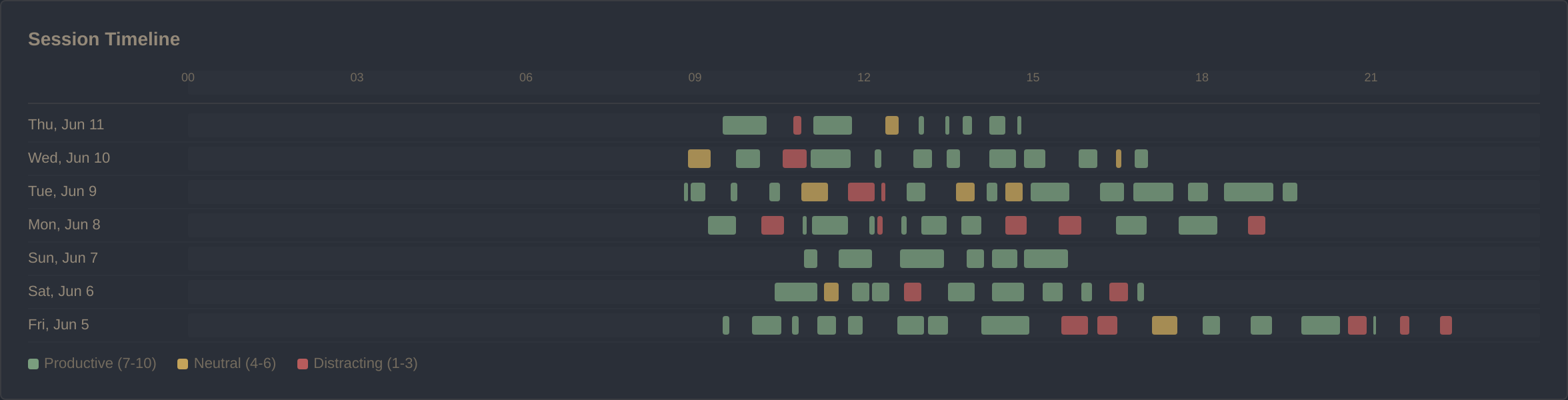
Gantt-style chart plotting every browsing session on a 24-hour timeline. Color-coded by productivity. See your entire week at a glance.
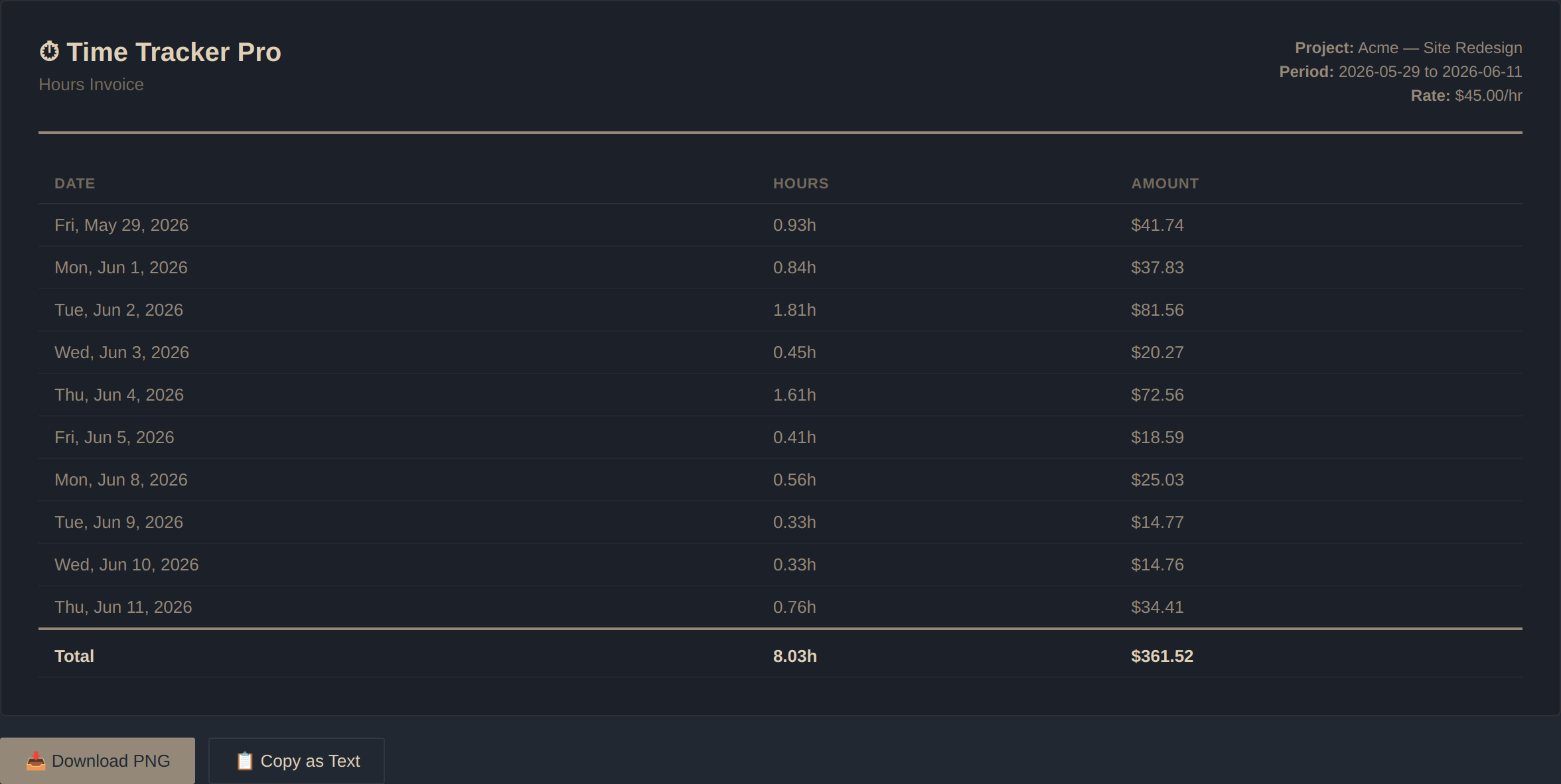
Turn tracked project time into professional invoices. Set hourly rates, pick a date range, and download as PNG or copy as formatted text.
Time Tracker Pro is completely free with all features unlocked. No paywalls, no subscriptions, no hidden tiers.
If Time Tracker Pro helps you understand and improve your browsing habits, consider buying me a coffee. It keeps the project alive and motivates continued development.
☕ Buy Me a CoffeeEVERY COFFEE FUELS A NEW FEATURE OR BUG FIX. THANK YOU!
Why Time Tracker Pro is the best alternative to RescueTime, Toggl, and other tracking tools.
| Feature / Criteria | Time Tracker Pro | Toggl Track | RescueTime | Webtime Tracker |
|---|---|---|---|---|
| Data Privacy | ✓ 100% Local (IndexedDB) | ✗ Cloud database (Hosted) | ✗ Cloud database (Hosted) | ✓ 100% Local (Storage) |
| Account Required | ✓ No account required | ✗ Sign-up required | ✗ Sign-up required | ✓ No account required |
| Pricing Model | ✓ 100% Free (Forever) | ✗ Limited free tier | ✗ Paid only (Free trial) | ✓ 100% Free |
| Built-in Invoice Generator | ✓ Yes (Free PNG export) | ✗ Paid tier only ($9+/mo) | ✗ No | ✗ No |
| GitHub-Style Heatmap | ✓ Yes (Included) | ✗ No | ✗ No | ✗ No |
| Website Blocking & Streaks | ✓ Yes (Built-in) | ✗ No | ✓ Yes (Premium only) | ✗ No |
Here is what early adopters are saying on the Chrome Web Store about switching to a local-first time tracker.
"As a developer working on sensitive client code, I cannot use trackers that upload my history to the cloud. Time Tracker Pro keeps all my active tab records strictly in local IndexedDB. It works perfectly on Brave and Brave's privacy protection features."
"The built-in client invoice generator is brilliant! I convert my weekly logs into clean PNG invoice breakdowns in one click, saving me $20/month compared to premium cloud time loggers."
"I wanted to track where my days went without creating another cloud account or getting spammed. No signup, no email required—just download the extension and it works silently in the background."
Everything you need to know about Time Tracker Pro.
Every single byte of your browsing data stays in your browser's local storage (IndexedDB). There are no servers. No cloud sync. No analytics we collect from you. Not even an account to create.
The only external requests are Google Fonts (for the UI) and Google's favicon service (for site icons). That's it. We built this for people who are fed up with tools that monetize their data.
Join thousands of users who finally understand where their browsing time goes. Free to start. No setup required.
WORKS ON CHROME · BRAVE · EDGE & ALL CHROMIUM BROWSERS · NO ACCOUNT REQUIRED