 Time Tracker
00 Introduction
Whether you're a freelancer trying to capture every billable minute for client invoicing, a developer looking to optimize your focus hours, or simply trying to curb distracting scrolling habits, finding the right **time tracking Chrome extension** is key.
A good browser extension makes time tracking seamless—keeping you inside your workflow rather than forcing you to open separate desktop apps or web dashboards. However, time trackers vary wildly: some are manual timers, some track background activity automatically, and others upload every website you visit to cloud servers, raising massive privacy concerns.
Here is our definitive, unbiased comparison of the 8 best time tracking Chrome extensions for 2026 to help you choose the right tool for your specific workflow and privacy needs.
01 Time Tracker Pro (The Privacy-First Automation)
Time Tracker Pro is the best overall extension for individual developers, freelancers, and privacy-conscious professionals. Unlike traditional trackers, it operates on a **100% local-first database (IndexedDB)**. It requires no signup, no account, and never uploads your browsing history to the cloud. It runs silently in the background, automatically tracking active domains, idle states, and category metrics while keeping your data entirely under your control.
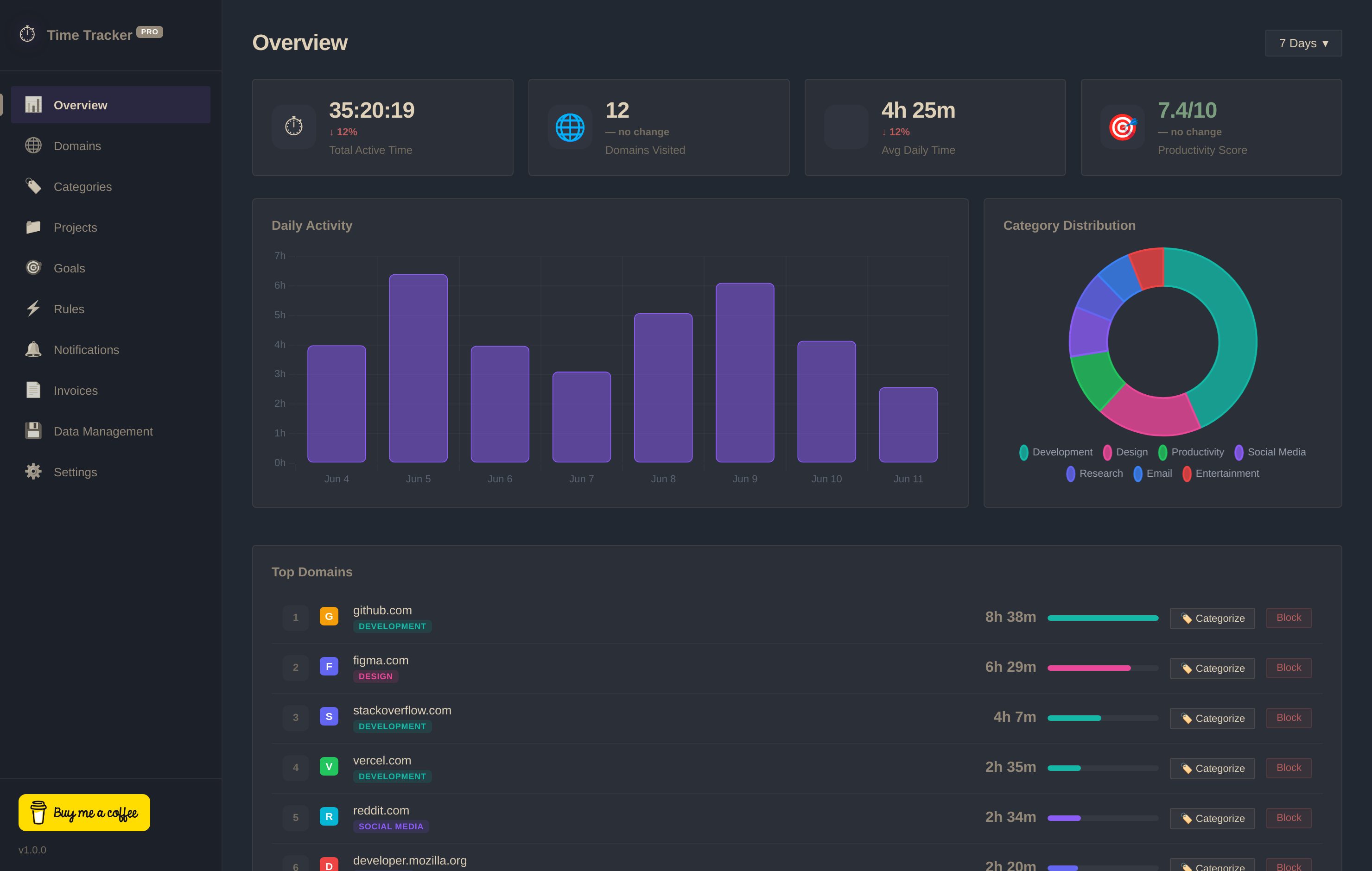
Key Extension Features
- Automatic Tab & Window Tracking: Logs active tab duration, idle time, and domains automatically without manual timer clicks.
- Professional Client Invoice Builder: Convert logged project hours into beautiful invoice breakdowns and export them as PNG files or copy as text.
- GitHub-Style Productivity Heatmap: Visualizes your peak intensity grid for the entire year.
- Flexible Website & Category Blocker: Set limits on distracting websites, configure blocking schedules, and build focus rules.
- Local Data Export: Export your database at any time as CSV or JSON, or clear it with one click.
Pricing
- Free Forever: 100% of features (including invoice building, site blocking, and detailed heatmaps) are free. Support the creator by buying them a coffee.
| Pros | Cons |
|---|---|
|
|
02 Toggl Track (The Collaborative Team Standard)
Toggl Track’s time extension for Chrome lets you track time directly from over 100 popular apps, like Asana, Basecamp, or Google Docs, without ever leaving your web browser. To make sense of all the work activities you're tracking, Toggl Track allows you to add projects and tags to your time entries. From here, you can turn your data into reports to share with your team or send to your clients as invoices.
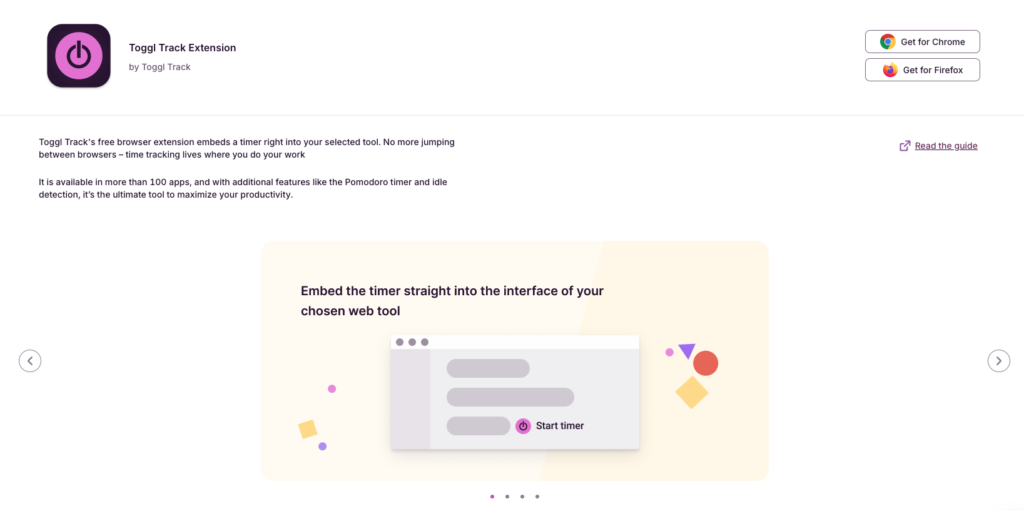
Key Extension Features
- 100+ App Integrations: Embeds start/stop buttons directly inside tools like Trello, Todoist, and Notion.
- Idle Detection & Pomodoro: Alerts you when your browser goes inactive while a timer is running, and includes a Pomodoro clock.
- Manual & Automatic Reminders: Reminds you to start tracking if you are active in Chrome without an active timer.
Pricing
- Free: Unlimited tracking and exportable reports for up to 5 users.
- Starter ($9/user/month billed annually): Adds project estimates, billable rates, and tasks.
- Premium ($18/user/month billed annually): Adds team timesheet approvals, audit logs, and locked tracking.
| Pros | Cons |
|---|---|
|
|
03 Hubstaff (The Remote Team Activity Monitor)
Hubstaff has powerful employee monitoring features to help manage remote teams. These features include screenshots, app and activity tracking, and activity levels. Although these features offer visibility over global teams, it also borders on employee surveillance, which team members might find intrusive. Hubstaff has a Chrome time tracker extension for easy time tracking and task management.
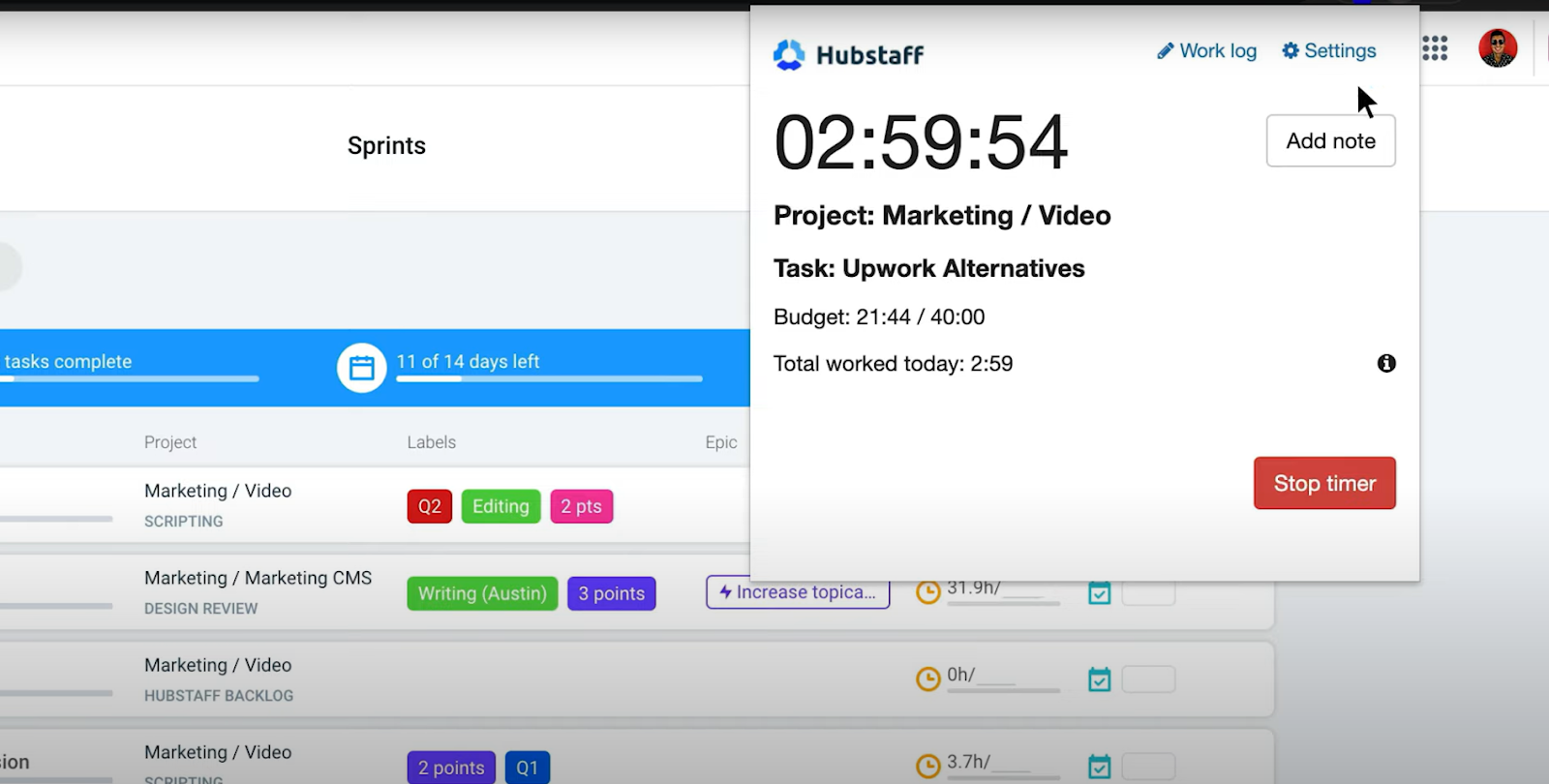
Key Extension Features
- Activity Rates: Tracks keyboard and mouse activity to report active time vs. idle time.
- Team Task Lists: Pull tasks directly from your project management boards.
- Reminders to Start: Generates alerts if the extension detects you working without the timer running.
Pricing
- Free: Basic tracking and reports for one user.
- Starter ($4.99/user/month): Multi-platform tracking and limited screenshots.
- Team ($10/user/month): Adds full screenshots, app/URL logs, and budgets.
| Pros | Cons |
|---|---|
|
|
04 Harvest (The Freelance Payment Connector)
Simplicity is at the heart of Harvest’s Chrome browser extension. Starting and stopping the timer when working online is straightforward, and you can do it right from Chrome’s toolbar. You can also add Harvest timers to other tools, such as Asana, Basecamp, or Trello. The highlight of Harvest is its payment collection integration with Stripe and PayPal, letting freelancers receive payments online.
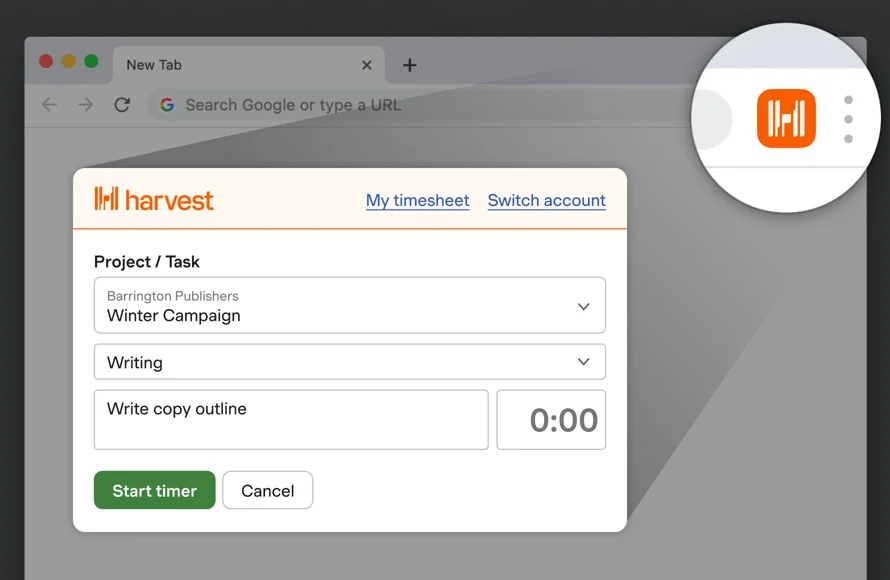
Key Extension Features
- Simple Manual Timer: Clean toolbar interface for start/stop clicks.
- Integrations: Connects to Asana, GitHub, and Trello.
- Direct Billing: Integrates client invoicing and payment links.
Pricing
- Free: 1 user and up to 2 active projects.
- Pro ($10.80/user/month billed annually): Unlimited projects and full reporting.
| Pros | Cons |
|---|---|
|
|
05 Clockify (The Popular Unlimited Free Cloud Option)
Clockify is widely used because it offers unlimited users, tracking, and projects for free. The extension is very similar to Toggl Track, allowing you to log time on various tasks, edit records, and setup reminders. It is, however, a manual cloud-based tracker geared primarily toward organizational teams rather than automated individual logging.
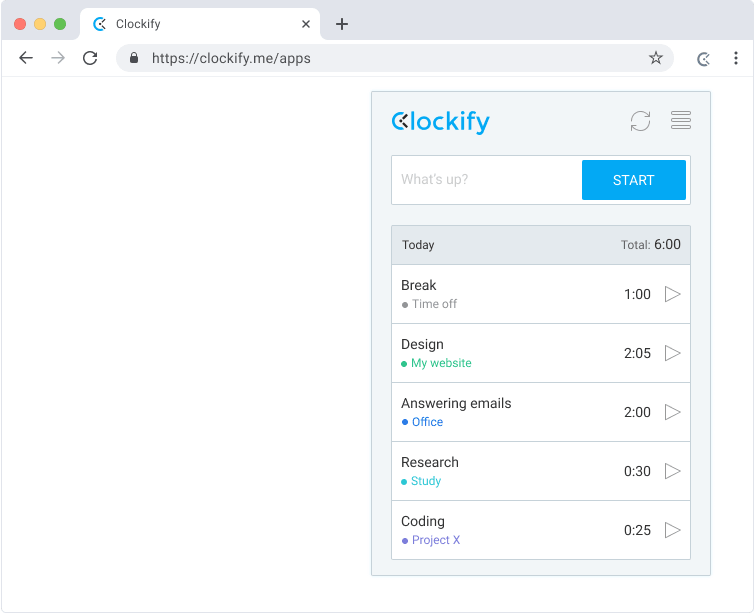
Key Extension Features
- PM Tool Integration: Adds a timer button inside Jira, ClickUp, Asana, etc.
- Browser Reminders: Notifies you if your browser is active but the timer isn't running.
- Pomodoro Mode: Focus intervals and break triggers.
Pricing
- Free: Unlimited tracking, reports, projects, and users.
- Basic ($3.99/user/month): Adds time editing and admin controls.
- Standard ($5.49/user/month): Adds invoicing and client billing details.
| Pros | Cons |
|---|---|
|
|
06 TimeCamp (The Integration-Heavy tracker)
TimeCamp is designed to bridge the gap between automatic tracking and project management. Its Chrome extension lets you start timers inside Asana, Jira, Trello, and dozens of other tools. While it features some passive tracking, it syncs directly with TimeCamp's cloud servers and is designed mostly for team billing.
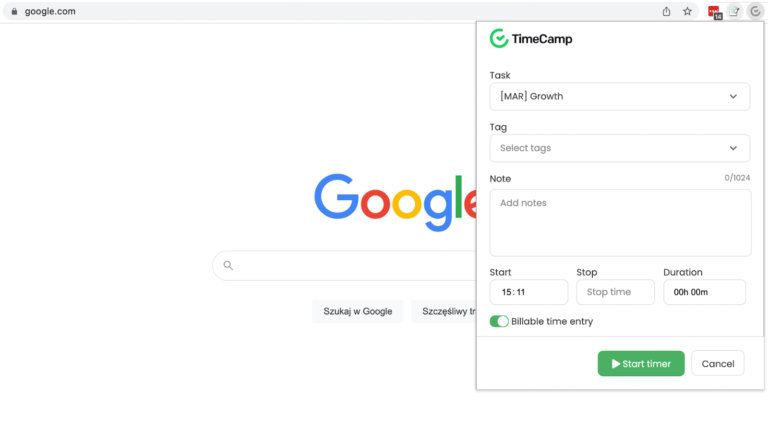
Key Extension Features
- Click-to-Track: Start timers inside project tasks automatically.
- Detailed Reporting: Exports tracking logs directly to the cloud dashboard.
- Keyword-Based tracking: Links timers to specific keywords in browser tabs.
Pricing
- Free: Unlimited tracking for a single user.
- Starter ($2.99/user/month): Adds export details and sheet logs.
- Basic ($5.99/user/month): Adds integrations and budgeting templates.
| Pros | Cons |
|---|---|
|
|
07 Everhour (The Native App Embedder)
Everhour is unique because of how deeply it embeds its UI within other web tools. Instead of opening a popup extension window, Everhour inserts tracking bars, buttons, and estimate boxes directly into Asana, ClickUp, or Basecamp task fields. This creates a highly native workflow experience, but it lacks offline capabilities and operates strictly as a subscription cloud service.
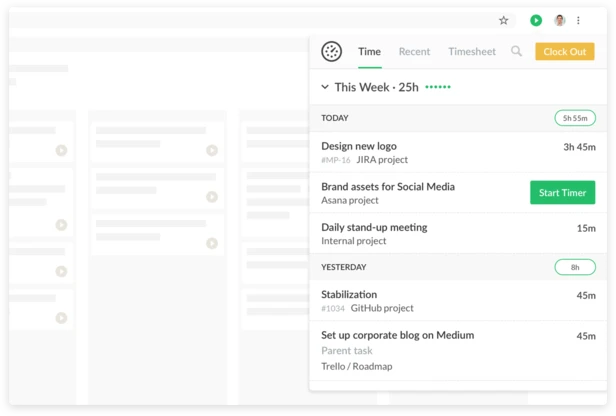
Key Extension Features
- Deep UI Injection: Embeds time inputs directly into Asana, ClickUp, Trello, and Jira.
- Time Estimates: Lets team members set and compare estimated hours next to actual logged hours.
- Resource Planning: Integrates with team scheduling charts.
Pricing
- Free: Simple tracking for up to 5 users.
- Team ($8.50/user/month billed annually): Unlock all integrations, invoicing, and scheduling features.
| Pros | Cons |
|---|---|
|
|
08 RescueTime (The Automated Productivity Scorer)
RescueTime categorizes websites you visit automatically and assigns productivity scores. The extension runs in the background to log domains and report scores from Very Productive to Very Distracting. While helpful, RescueTime is entirely cloud-based (meaning your browsing logs are sent to their database) and gates key advanced features behind a subscription model.
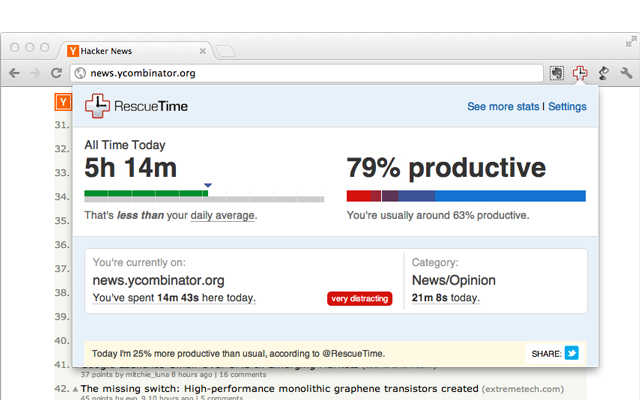
Key Extension Features
- Auto Categorization: Instantly tracks visited sites and maps them to categories.
- Productivity Scorecard: Daily scores based on active site choices.
- Focus Sessions: Block distracting sites during deep work sessions.
Pricing
- Lite (Free): Basic categorization and daily score tracking.
- Premium ($12/month): Adds Focus Session website blocking and historical logs.
| Pros | Cons |
|---|---|
|
|
09 Head-to-Head Comparison
Here is a direct summary comparison of how these Chrome extensions stack up across the key criteria of privacy, price, automation, and billing.
| Criteria / Tool | Time Tracker Pro | Toggl Track | RescueTime | Clockify | Hubstaff | Harvest | TimeCamp | Everhour |
|---|---|---|---|---|---|---|---|---|
| Storage Mode | ✓ Local (IndexedDB) | ✗ Cloud Hosted | ✗ Cloud Hosted | ✗ Cloud Hosted | ✗ Cloud Hosted | ✗ Cloud Hosted | ✗ Cloud Hosted | ✗ Cloud Hosted |
| No Account Req. | ✓ Yes (Zero Logins) | ✗ No Signup Req. | ✗ No Signup Req. | ✗ No Signup Req. | ✗ No Signup Req. | ✗ No Signup Req. | ✗ No Signup Req. | ✗ No Signup Req. |
| Free Pricing | ✓ Free Forever | ✗ Limited Tier | ✗ Paid Only | ✓ Free Tier | ✗ Paid Focus | ✗ Paid Focus | ✓ Free Tier | ✗ Paid Focus |
| Domain Auto-Log | ✓ Yes (Passive) | ✗ Manual Only | ✓ Yes (Passive) | ✗ Manual Only | ✗ Manual Only | ✗ Manual Only | ✗ Manual Only | ✗ Manual Only |
| Free Invoice Maker | ✓ Yes (PNG Export) | ✗ Paid Only ($9+) | ✗ No | ✗ Paid Only | ✗ Paid Only | ✗ Paid Only | ✗ Paid Only | ✗ Paid Only |
| Website Blocker | ✓ Yes (Built-In) | ✗ No | ✓ Yes (Paid) | ✗ No | ✗ No | ✗ No | ✗ No | ✗ No |
10 FAQs About Chrome Time Trackers
Have questions about tracking time in Google Chrome? Here are answers to the most common queries.